
The TMHP provider enrollment process is a critical step for healthcare providers who want to serve Medicaid patients in Texas. For practice managers and healthcare administrators, the TMHP provider enrollment process directly affects reimbursement timelines, compliance, and revenue cycle management.
Setting up a new provider account can feel overwhelming, but when handled correctly, it ensures smooth operations and faster claim approvals. Errors or delays in enrollment can prevent providers from billing, impacting cash flow and patient access.
Understanding TMHP and PEMS
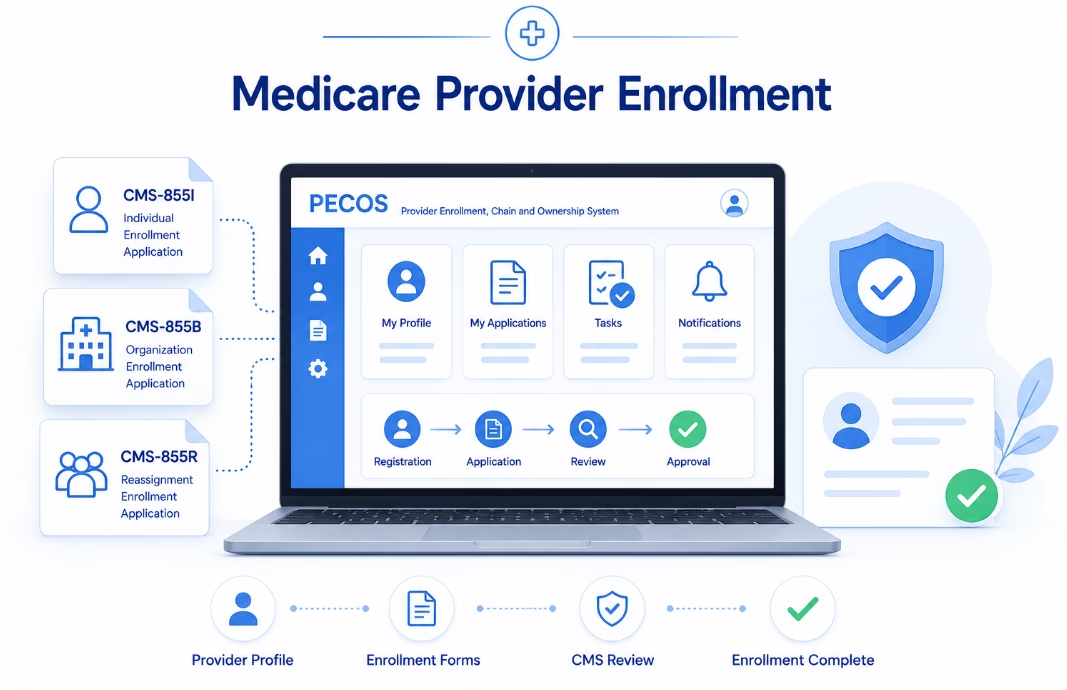
The Texas Medicaid & Healthcare Partnership (TMHP) manages Medicaid services in Texas. Its Provider Enrollment and Management System (PEMS) is the centralized platform used for enrollment, revalidation, and updates.
PEMS simplifies what used to be a complex manual process by creating a single system for all provider-related activities. Understanding how to navigate this system is essential for avoiding delays and maintaining compliance.
Step 1: Access the TMHP Provider Portal
The first step in the TMHP provider enrollment process is accessing the TMHP website. From there, navigate to the provider section and open the PEMS portal.
PEMS serves as your main dashboard for managing enrollment and ongoing updates. Becoming familiar with this system early helps reduce future administrative burden and supports long-term provider enrollment management.
Step 2: Register Your PEMS Account
If no account exists, you’ll need to create one.
During registration, you must choose between:
- Individual Account:
Used for a single provider enrolling with an SSN and NPI - Organization Account:
Used for group practices and requires an EIN
You will then complete a registration form with key details such as legal name, NPI, taxonomy code, SSN or EIN, and contact information. Accuracy here is critical—any mismatch with Medicare or credentialing records can delay approval.
After submission, verify your account via email to activate access.
Step 3: Start a New Enrollment Application
Once your account is active, log in to PEMS and select “Start New Enrollment.”
You’ll be required to:
- Select Medicaid as the program
- Choose provider type (Individual or Group)
- Define provider role (Rendering, Performing, or Ordering-only)
The system will guide you through required fields, including:
- NPI and Medicare PTAN (if applicable)
- Licensing board details
- Practice and mailing addresses
- Specialty and taxonomy
- Ownership and disclosure information
Before starting, ensure all documents are ready. Practices should review required credentialing documents to avoid submission errors.
Common Mistakes That Delay TMHP Enrollment
Even with a structured process, small mistakes can lead to significant delays.
Common issues include:
- Incorrect or mismatched provider information
- Missing or outdated documentation
- Incomplete ownership disclosures
- Delays in document uploads or verification
These errors often result in application rejections or extended review times, delaying provider onboarding and billing.
Impact on Revenue Cycle Management
The TMHP provider enrollment process directly affects revenue cycle performance.
If enrollment is delayed, providers cannot submit claims, leading to lost revenue and increased administrative workload. Timely enrollment ensures providers are active in the system and able to bill without interruptions.
Practices that manage enrollment efficiently also focus on reducing payer enrollment delays to improve claim approvals and revenue flow.
Best Practices for a Smooth Enrollment Process
To ensure success in the TMHP provider enrollment process, healthcare organizations should:
- Verify all provider data before submission
- Maintain consistency across NPPES, CAQH, and credentialing records
- Prepare all documents in advance
- Track application status regularly
- Respond quickly to TMHP requests for additional information
These steps help minimize delays and ensure faster approvals.
Get It Right the First Time
The TMHP provider enrollment process is a vital step for healthcare practices in Texas. By understanding each stage and preparing thoroughly, you can avoid delays, maintain compliance, and ensure steady revenue flow.
A structured and proactive approach turns a complex process into a manageable workflow. If your practice needs expert support to complete the TMHP provider enrollment process efficiently, contact eClinicAssist today to simplify enrollment and accelerate approvals.