
PECOS, CAQH, and NPPES are three separate provider-data systems, and each serves a different purpose.
NPPES assigns and maintains National Provider Identifiers (NPIs). PECOS manages Medicare provider enrollment. The CAQH Provider Data Portal helps healthcare professionals maintain and share professional information with authorized health plans and other organizations.
Understanding the difference between PECOS vs CAQH vs NPPES is important because inaccurate or inconsistent provider information can contribute to credentialing delays, enrollment problems, directory issues, administrative rework, and potential billing disruptions.
For providers and practice managers, the confusion is understandable. Names, addresses, specialties, practice locations, NPIs, affiliations, and other information may appear across multiple healthcare administrative systems.
However, these systems are not interchangeable.
A provider can have an active NPI without being enrolled in Medicare. A CAQH profile can be complete without a payer approving credentialing. Updating NPPES does not automatically update Medicare enrollment information in PECOS.
The best approach is to understand what each system controls and manage provider information across all relevant systems as one coordinated workflow.
Key Takeaways
- NPPES establishes provider identity. It is the CMS system used to assign and maintain National Provider Identifiers.
- PECOS manages Medicare enrollment. Providers and suppliers use PECOS for Medicare enrollment, updates, revalidation, withdrawal, and other enrollment activities.
- CAQH supports provider-data sharing. The CAQH Provider Data Portal allows healthcare professionals to maintain professional information that can be shared with authorized health plans and organizations.
- An NPI does not equal credentialing approval. Receiving an NPI does not mean a provider is licensed, credentialed, enrolled with a payer, or eligible for reimbursement.
- A complete CAQH profile does not mean a payer has approved credentialing. Payers and other organizations still complete their own credentialing or enrollment processes.
- Provider changes may require updates in multiple systems. Address, location, ownership, specialty, affiliation, name, and other changes should trigger a review of every relevant provider database.
What Is the Difference Between PECOS, CAQH, and NPPES?
The easiest way to understand PECOS vs CAQH vs NPPES is to view them as different administrative layers in the provider enrollment process.
| System | Primary Function | Main Operational Role |
|---|---|---|
| NPPES | NPI assignment and NPI record management | Establishes and maintains the provider’s standardized healthcare identifier |
| PECOS | Medicare enrollment management | Establishes and maintains a provider or supplier’s Medicare enrollment |
| CAQH Provider Data Portal | Professional provider-data management and sharing | Makes provider information available to authorized health plans and organizations for credentialing, enrollment, directory management, and related workflows |
These systems contain some overlapping information, but they serve different purposes.
That distinction matters because completing one database does not mean a provider is fully credentialed or enrolled everywhere.
What Is NPPES?
The National Plan and Provider Enumeration System (NPPES) is the CMS system responsible for assigning and maintaining National Provider Identifiers.
An NPI is a unique 10-digit healthcare provider identifier used in standard healthcare administrative and financial transactions.
There are two major NPI types:
Type 1 NPI
A Type 1 NPI is used for individual healthcare providers, including physicians, nurse practitioners, and other individual practitioners.
Type 2 NPI
A Type 2 NPI is used for healthcare organizations such as physician groups, hospitals, clinics, nursing facilities, and other organizational healthcare providers.
One of the most important distinctions for practice managers is:
Having an NPI does not mean a provider is credentialed or enrolled with an insurance payer.
An NPI establishes the provider’s standardized healthcare identity. It does not, by itself, establish:
- Professional licensure
- Payer credentialing approval
- Medicare enrollment
- Commercial payer participation
- Network participation
- Eligibility for reimbursement
In simple terms:
NPPES answers: “Who is this healthcare provider?”
For a more detailed explanation of NPI records, see our NPPES Provider Database Guide.
When Does NPPES Need to Be Updated?
NPPES should not be treated as a one-time application that is forgotten once the NPI is issued.
Covered healthcare providers generally must report changes to required NPI information within 30 days of the effective date of the change.
Changes may involve information such as:
- Provider name
- Practice address
- Mailing address
- Contact information
- Taxonomy information
- Other information associated with the NPI record
An NPI generally remains with the provider even when information such as a name or address changes. The existing NPPES record should normally be updated rather than automatically applying for a new NPI.
Certain organizational changes may require additional review to determine whether a new NPI is appropriate.
What Is PECOS?
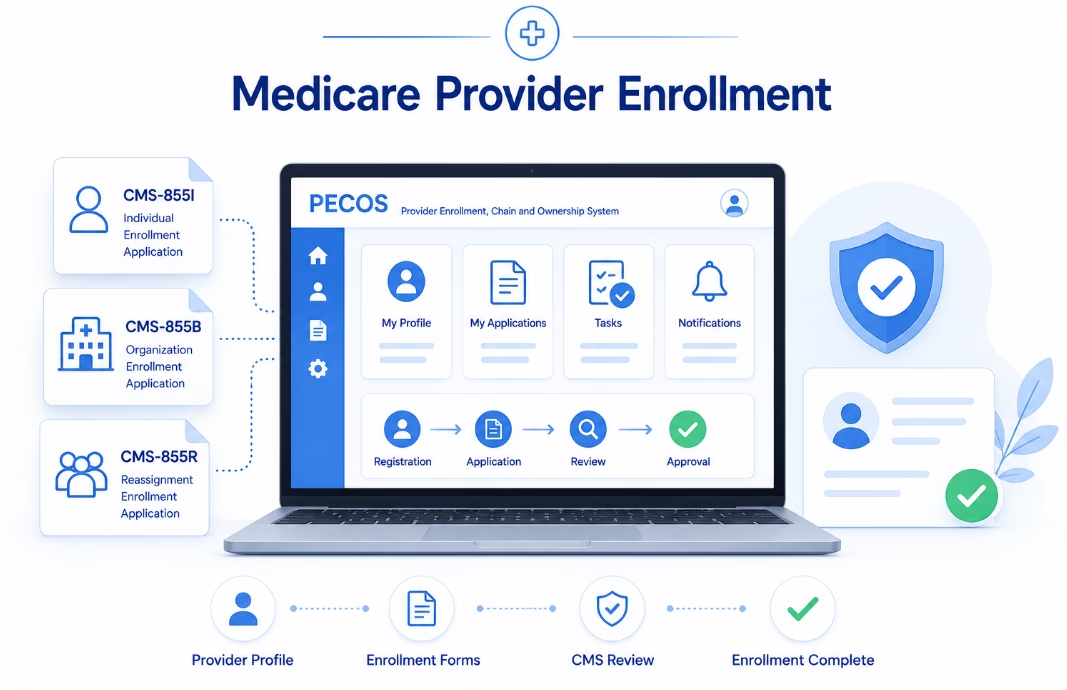
PECOS, or the Provider Enrollment, Chain, and Ownership System, is CMS’s online Medicare enrollment management system.
Providers and suppliers can use PECOS to perform Medicare enrollment activities such as:
- Enrolling in Medicare
- Updating existing Medicare enrollment information
- Reporting changes
- Revalidating Medicare enrollment
- Reviewing enrollment records
- Uploading supporting documentation
- Electronically signing and submitting applications
- Withdrawing from Medicare when applicable
The relationship between NPPES and PECOS is important.
A healthcare provider generally obtains the appropriate NPI through NPPES before completing Medicare enrollment.
In simple terms:
NPPES answers: “Who is this provider?”
PECOS answers: “How is this provider or supplier enrolled with Medicare?”
For additional guidance, read our PECOS Provider Enrollment Guide.
Does Updating NPPES Automatically Update PECOS?
No.
This is one of the most important administrative differences between NPPES and PECOS.
Updating an NPI record in NPPES does not automatically update the provider’s Medicare enrollment information.
Consider a provider who moves from one practice location to another.
Updating the new address in NPPES does not necessarily complete the Medicare enrollment change. The corresponding Medicare record may also need to be updated through PECOS or the applicable Medicare enrollment process.
Practices should therefore avoid treating a provider change as a single-portal task.
Instead:
A provider change should trigger a review of every system, payer, and enrollment record that may be affected.
When Must Medicare Enrollment Changes Be Reported?
CMS requires Medicare providers and suppliers to keep their enrollment information current.
Certain changes generally need to be reported within 30 days, including:
- Changes in ownership
- Adverse legal actions
- Changes in practice location
Other Medicare enrollment changes generally must be reported within 90 days.
Specific requirements can vary by provider or supplier type and the nature of the change.
Practices should verify current CMS and Medicare Administrative Contractor requirements whenever a significant provider or organizational change occurs.
How Often Is Medicare Revalidation Required?
Medicare enrollment requires periodic revalidation.
In general:
- Most Medicare providers and suppliers revalidate approximately every five years.
- DMEPOS suppliers generally revalidate every three years.
- CMS may request an off-cycle revalidation when necessary.
This is another reason PECOS should be viewed as an ongoing provider-enrollment responsibility rather than a one-time Medicare application portal.
Practices should maintain a system for tracking Medicare revalidation dates well before deadlines approach.
What Is CAQH?
The system commonly called CAQH represents another part of provider credentialing and data management.
The CAQH Provider Data Portal allows physicians, dentists, and other healthcare professionals to maintain professional and practice information and make that information available to organizations they authorize.
Depending on the participating organization, provider data may support activities such as:
- Credentialing
- Provider enrollment
- Recredentialing
- Directory management
- Provider-data verification
- Other healthcare administrative processes
Unlike PECOS, CAQH is not the Medicare enrollment system.
Unlike NPPES, CAQH does not issue NPIs.
Its primary role is maintaining and sharing a broader professional provider profile with authorized organizations.
For step-by-step assistance, see our CAQH Profile Registration Guide.
Is CAQH Now DataSpring?
Yes. In 2026, CAQH became DataSpring, powered by CAQH.
The branding change does not mean providers need to start their credentialing records from scratch.
Existing provider information and workflows continue through the provider-data platform, and healthcare professionals may still encounter the familiar CAQH Provider Data Portal terminology during credentialing and payer enrollment activities.
For practice managers, the important operational point is that a reference to DataSpring or the CAQH Provider Data Portal may relate to the same broader provider-data ecosystem.
Does a Complete CAQH Profile Mean a Provider Is Credentialed?
No.
This is one of the most common misunderstandings in healthcare credentialing.
A complete CAQH Provider Data Portal profile means the provider has supplied and attested to professional information within the platform.
It does not automatically mean that:
- A payer has approved the provider
- A payer contract has been completed
- The provider is in network
- An effective date has been issued
- Claims can immediately be submitted as an in-network provider
The health plan or organization still performs its own credentialing, contracting, enrollment, or verification process.
Therefore:
CAQH profile complete ≠ payer credentialing approved.
Practices should track CAQH status and individual payer application status separately.
How Often Does CAQH Need to Be Re-Attested?
Providers generally need to review and re-attest their CAQH Provider Data Portal information every 120 days.
Providers practicing in Illinois generally operate under a 180-day re-attestation cycle.
Practices should also review and update the profile when significant provider information changes instead of waiting for the next scheduled attestation.
Important changes may include:
- New practice locations
- Address changes
- New licenses
- Renewed licenses
- Malpractice coverage changes
- New hospital affiliations
- Specialty changes
- Updated contact information
- Group affiliation changes
Regular CAQH maintenance helps ensure authorized organizations have access to current provider information.
How Do PECOS, CAQH, and NPPES Work Together?
These three systems become much easier to understand when viewed as part of the overall provider enrollment process.
A simplified workflow may look like this:
1. Establish Provider Identity Through NPPES
The provider obtains the appropriate NPI and maintains the corresponding NPPES record.
2. Complete Medicare Enrollment Through PECOS
If the provider or organization will participate in Medicare, the appropriate enrollment application is completed and maintained through PECOS or the applicable Medicare enrollment process.
3. Maintain Payer-Facing Information Through CAQH
When applicable, the provider maintains a professional profile through the CAQH Provider Data Portal and authorizes participating organizations to access the information.
4. Complete Individual Payer Requirements
Commercial health plans, Medicare, Medicaid programs, hospitals, networks, and other organizations may have their own credentialing, contracting, enrollment, verification, and documentation requirements.
This is why there is no single credentialing database that completes the entire process.
Each system handles a different part of the provider’s administrative identity and enrollment lifecycle.
For a broader view of the process, see our Provider Enrollment Process Guide.
What Provider Information Should Be Consistent Across Systems?
Not every portal collects identical information.
However, the underlying facts about the provider and organization should remain consistent.
Practice managers should pay particular attention to:
- Provider legal name
- Professional name
- Type 1 NPI
- Type 2 NPI
- Practice addresses
- Mailing addresses
- Practice locations
- Taxonomy codes
- Specialty information
- Group affiliations
- Organizational relationships
- Contact information
- Licensure information where applicable
- Provider status
- Hospital affiliations
- Tax identification relationships where applicable
Consistency does not mean blindly entering identical text into every field.
Each system has its own requirements.
Instead, consistency means ensuring the underlying information does not conflict from one provider record to another.
What Happens When Provider Data Does Not Match?
Consider a common example.
A physician moves from one practice location to another.
The practice updates the provider’s CAQH profile but forgets to review NPPES and PECOS.
A commercial payer may now be receiving one location through the provider-data portal while federal provider records still contain another location.
That mismatch does not automatically mean every claim will be denied.
However, depending on the payer and transaction, inconsistent provider information can contribute to:
- Credentialing delays
- Enrollment questions
- Directory inaccuracies
- Additional payer verification
- Billing complications
- Claims-processing issues
- Administrative rework
Now consider the opposite situation.
The practice updates NPPES and assumes Medicare information was automatically updated.
That assumption is incorrect because updating NPPES does not automatically update Medicare enrollment information.
The operational lesson is straightforward:
When a provider’s information changes, review the entire provider enrollment workflow—not just one portal.
Common PECOS, CAQH, and NPPES Mistakes
“I Have an NPI, So I Am Credentialed.”
Incorrect.
An NPI identifies the provider for standard healthcare transactions. It does not establish payer credentialing, licensure, network participation, or reimbursement eligibility.
“My CAQH Profile Is Complete, So the Payer Approved Me.”
Incorrect.
CAQH provides information to authorized organizations. The payer or organization still determines whether credentialing or enrollment is approved.
“PECOS Handles Every Insurance Payer.”
Incorrect.
PECOS is used for Medicare enrollment management.
Commercial payer credentialing and state Medicaid enrollment follow separate processes.
“If I Update NPPES, Everything Else Updates Automatically.”
Incorrect.
An NPPES update does not automatically update a provider’s Medicare enrollment information. Other payer databases and credentialing systems may also require separate updates.
“I Need a New NPI Every Time My Address Changes.”
Usually incorrect.
An NPI generally remains the same when a provider’s name, address, or other information changes. The existing record should normally be updated.
Certain organizational circumstances may require additional evaluation to determine whether a new NPI is necessary.
How Should Practice Managers Manage PECOS, CAQH, and NPPES?
The strongest approach is to manage provider information as one centralized lifecycle instead of treating NPPES, PECOS, CAQH, and individual payer portals as unrelated tasks.
1. Build a Master Provider Record
Maintain a controlled source of accurate provider information, including:
- Provider demographics
- NPIs
- Taxonomy codes
- Licenses
- Practice locations
- Group relationships
- Payer participation
- Malpractice information
- Credentialing documents
- Enrollment effective dates
- Important expiration dates
The master provider record should become the internal source of truth before information is submitted to external systems.
2. Assign Administrative Ownership
Clearly define who is responsible for:
- NPPES maintenance
- Medicare enrollment
- PECOS updates
- CAQH maintenance
- Commercial payer applications
- Medicaid enrollment
- Recredentialing
- Follow-up
- Document collection
- Renewal tracking
An enrollment task without a responsible owner can easily become a missed deadline.
3. Create Change-Event Workflows
Certain events should automatically trigger a provider-data review.
Examples include:
- Provider relocation
- New practice location
- New specialty
- Legal name change
- Ownership change
- Group affiliation change
- New tax identification structure
- Provider termination
- New hospital affiliation
Instead of asking, “Which portal should we update?” ask:
“Which records, payers, and enrollment systems could this change affect?”
4. Verify Provider Information Before Submitting Applications
Before beginning a major payer credentialing or enrollment application, compare current provider information across:
- Internal records
- NPPES
- PECOS, when applicable
- CAQH Provider Data Portal, when applicable
- Existing payer records
Resolving inconsistencies before submission can reduce avoidable follow-up later.
5. Track CAQH Attestations and Medicare Revalidations Separately
A CAQH re-attestation is not the same as a Medicare revalidation.
The requirements, systems, and schedules are different.
Do not combine them into a single generic “credentialing renewal” task.
6. Keep Submission Evidence
Maintain documentation such as:
- Confirmation numbers
- Submission dates
- Application copies
- Supporting documents
- Payer correspondence
- Reference numbers
- Follow-up history
- Approval letters
- Effective dates
This creates a useful audit trail when questions arise later.
7. Conduct Periodic Provider-Data Reviews
Practices should periodically compare their internal provider information against external systems rather than waiting for a payer problem to reveal an outdated record.
This becomes increasingly important as a practice adds:
- More providers
- More locations
- More states
- More specialties
- More insurance contracts
How Can PECOS, CAQH, and NPPES Affect the Revenue Cycle?
PECOS, CAQH, and NPPES generally operate upstream from claims processing.
However, the accuracy of provider enrollment data can eventually affect downstream revenue-cycle operations.
Consider the sequence:
Provider identity → Credentialing → Payer enrollment → Billing eligibility → Claims → Reimbursement
NPPES establishes and maintains the NPI used in healthcare transactions.
PECOS establishes and maintains Medicare enrollment.
CAQH provides professional provider information used by participating organizations during credentialing, enrollment, directory management, and related processes.
Errors early in the provider onboarding and enrollment process can create administrative work later.
That is why provider-data management should not be viewed only as a credentialing department responsibility.
It is also part of effective pre-revenue-cycle management.
Where Can eClinicAssist Help?
The difficult part of provider enrollment is rarely remembering what PECOS, CAQH, or NPPES stands for.
The bigger challenge is managing dozens—or even hundreds—of:
- Provider records
- Payer applications
- Credentialing documents
- Attestations
- Enrollment changes
- Follow-ups
- Effective dates
- Recredentialing requirements
- License expirations
- Renewal deadlines
eClinicAssist supports healthcare organizations with credentialing, payer enrollment, recredentialing, credentialing compliance, audits, licensing, and related administrative workflows.
Learn more about our Healthcare Credentialing & Enrollment Services.
Centralized credentialing management can help practices move away from treating NPPES updates, CAQH attestations, Medicare enrollment changes, and payer applications as unrelated administrative tasks.
Instead, practices can build a coordinated provider onboarding and maintenance workflow with better visibility from initial data collection through enrollment readiness.
Turn Provider Data Into an Organized Credentialing Workflow
PECOS, CAQH, and NPPES are not competing systems.
Each serves a different role.
NPPES establishes and maintains the provider’s NPI.
PECOS manages Medicare enrollment.
The CAQH Provider Data Portal supports professional provider-data management and sharing with authorized healthcare organizations.
The safest operational strategy is not simply knowing which portal to use.
Practices also need to keep provider information current, assign responsibility for updates, track deadlines, document submissions, and verify that changes reach every applicable payer and administrative system.
If managing provider data, credentialing, payer enrollment, recredentialing, and ongoing follow-up is consuming your team’s time, explore how eClinicAssist can help organize and centralize your credentialing workflow.
Frequently Asked Questions About PECOS, CAQH, and NPPES
Is PECOS the Same as NPPES?
No.
NPPES assigns and maintains National Provider Identifiers, while PECOS manages Medicare provider and supplier enrollment.
Providers generally need the appropriate NPI before completing Medicare enrollment.
Is CAQH the Same as PECOS?
No.
PECOS is used for Medicare enrollment management.
The CAQH Provider Data Portal allows healthcare professionals to maintain and share professional information with authorized organizations for credentialing, enrollment, directory management, and related administrative purposes.
Is CAQH Still Called CAQH in 2026?
CAQH became DataSpring, powered by CAQH, in 2026.
Providers may still encounter CAQH and CAQH Provider Data Portal terminology within existing credentialing workflows and documentation.
Does Having an NPI Mean a Provider Is Credentialed?
No.
Obtaining an NPI does not mean a provider has been licensed, credentialed, enrolled with a payer, accepted into an insurance network, or approved for payment.
Does Updating NPPES Automatically Update PECOS?
No.
Updating information associated with an NPI in NPPES does not automatically update the provider’s Medicare enrollment information.
Medicare enrollment changes may need to be submitted separately.
How Often Does CAQH Need to Be Re-Attested?
Providers generally re-attest their CAQH Provider Data Portal information every 120 days.
Providers practicing in Illinois generally follow a 180-day re-attestation cycle.
How Often Do Providers Revalidate Medicare Enrollment?
Most Medicare providers and suppliers generally revalidate every five years.
DMEPOS suppliers generally revalidate every three years.
CMS may also request an off-cycle revalidation.
What Is the Main Difference Between NPPES, PECOS, and CAQH?
The simplest distinction is:
- NPPES = NPI and provider identity
- PECOS = Medicare enrollment
- CAQH = Professional provider-data sharing for participating organizations
Individual health plans and programs may still have additional credentialing and enrollment requirements.
Informational Disclaimer:
This article is intended for general educational and administrative information only. Provider enrollment, credentialing, reporting deadlines, payer requirements, and government program rules may change and can vary by provider type, organization, payer, state, and circumstance. Healthcare organizations should verify current requirements directly with CMS, the applicable Medicare Administrative Contractor, state Medicaid agency, health plan, or other responsible organization before submitting enrollment or credentialing changes.