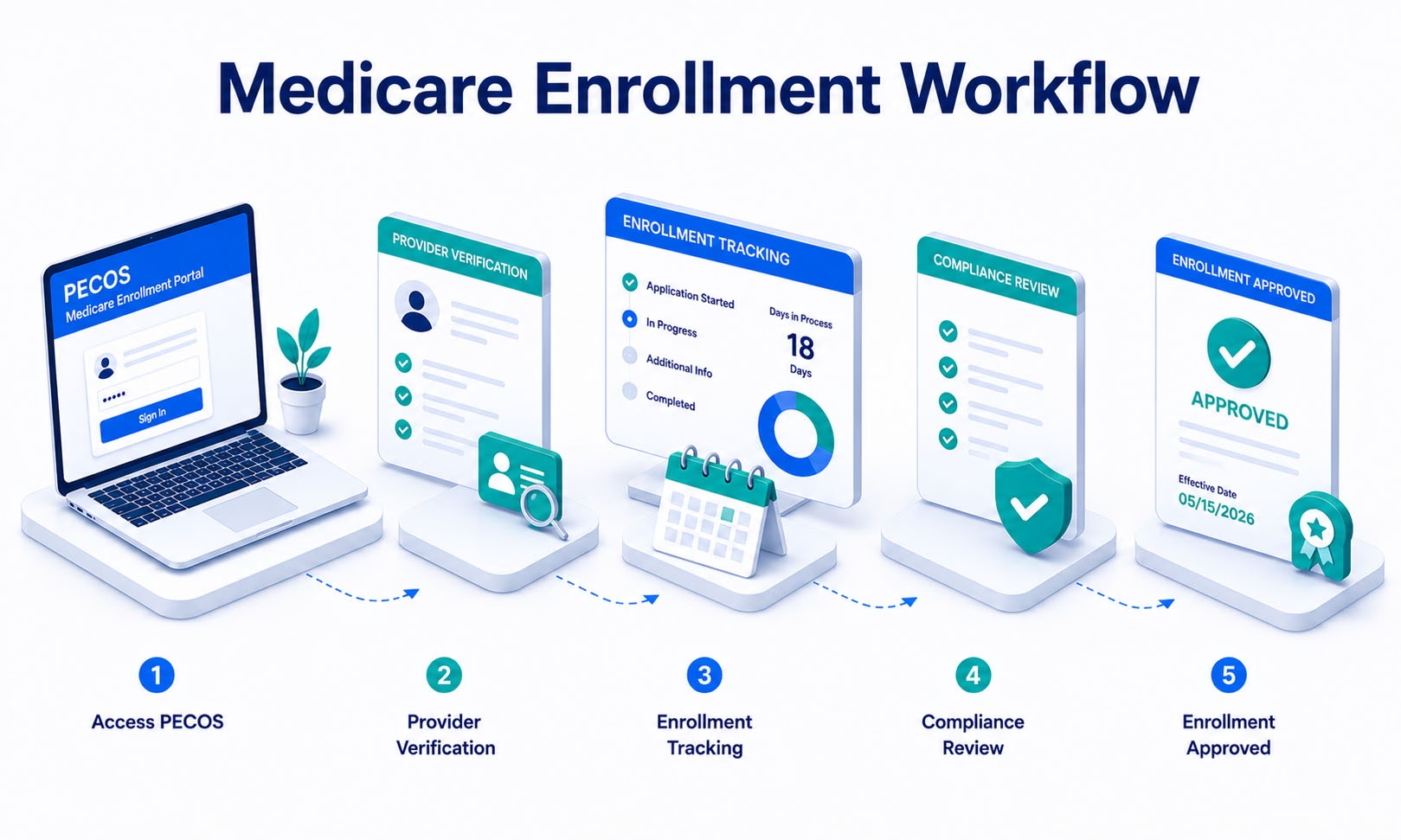
The Medicare provider enrollment workflow generally starts with obtaining an NPI, submitting the correct Medicare enrollment application through PECOS, providing required supporting information, and responding to Medicare Administrative Contractor requests. After approval, providers must keep enrollment information current, maintain reassignment relationships where applicable, and complete Medicare revalidation when CMS assigns a due date.
Medicare enrollment is different from commercial payer credentialing.
CMS operates its own provider enrollment system, rules, reporting requirements, and revalidation process.
For practices onboarding physicians, nurse practitioners, physician assistants, groups, clinics, and other eligible providers or suppliers, the workflow should be tracked as a separate Medicare process rather than being placed into one generic “credentialing” status.
What Is the Medicare Provider Enrollment Workflow?
The Medicare provider enrollment workflow is the administrative process used to establish, maintain, update, and revalidate a provider or supplier’s Medicare enrollment record.
The core workflow generally includes:
- Obtain an NPI.
- Determine the correct Medicare enrollment type.
- Submit the applicable application through PECOS.
- Provide required supporting documentation.
- Complete applicable EFT and fee requirements.
- Respond to Medicare Administrative Contractor requests.
- Receive the Medicare enrollment determination.
- Establish reassignment or group relationships where applicable.
- Maintain enrollment information.
- Complete revalidation when due.
Step 1: Obtain an NPI
CMS directs providers and suppliers to obtain an NPI before beginning Medicare enrollment.
NPIs are issued through the National Plan and Provider Enumeration System, or NPPES.
The NPI identifies the provider or organization, but it does not mean the provider is already enrolled in Medicare.
See our NPI registration guide for the distinction between NPI assignment and payer enrollment.
Step 2: Determine the Correct Medicare Enrollment Application
The appropriate Medicare application depends on the provider or supplier type.
CMS currently identifies common application categories including:
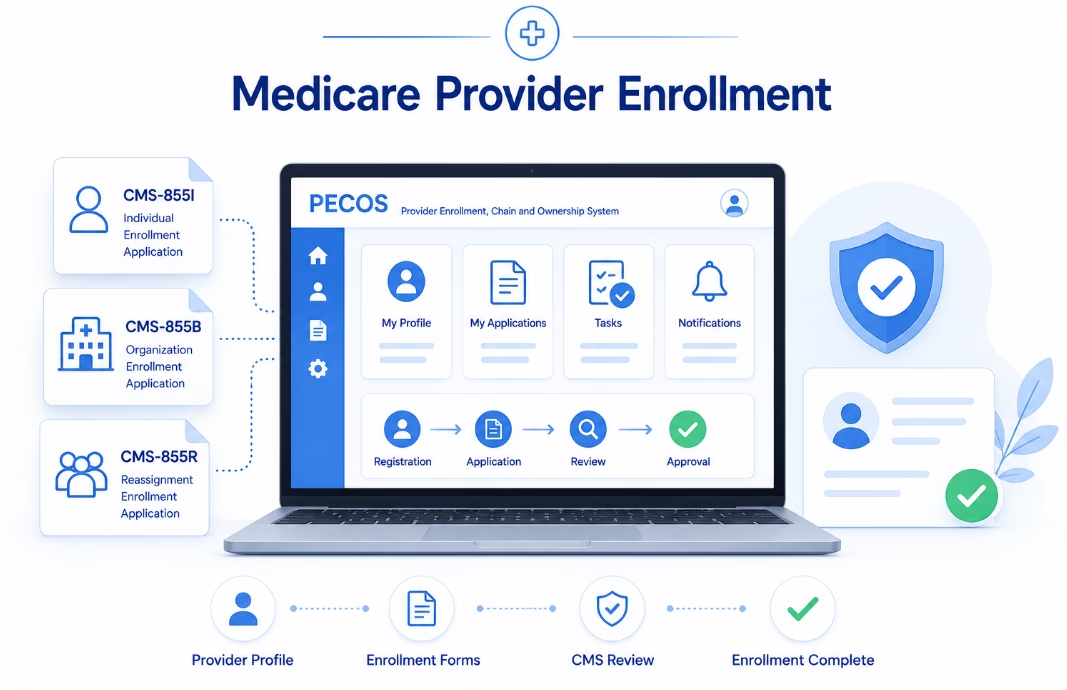
| Application | Common Use |
|---|---|
| CMS-855A | Institutional providers |
| CMS-855B | Clinics, group practices, and certain other suppliers |
| CMS-855I | Physicians and non-physician practitioners |
| CMS-855O | Eligible ordering and certifying physicians and non-physician practitioners |
PECOS generally guides applicants through the relevant online enrollment workflow without requiring them to manage paper forms manually.
Step 3: Use PECOS for Medicare Enrollment
PECOS, the Provider Enrollment, Chain, and Ownership System, is CMS’s online Medicare enrollment management system.
Through PECOS, providers and suppliers can:
- Enroll in Medicare
- Review enrollment information already on file
- Upload supporting documents
- Electronically sign and submit information
- Report changes
- Complete revalidation
- Manage certain reassignment relationships
CMS states that PECOS applications generally process faster than paper applications.
Step 4: Prepare the Supporting Information
The required information varies by enrollment type.
Depending on the provider or organization, Medicare enrollment may require:
- NPI
- Professional license information
- Practice locations
- Ownership and control information
- Managing employee information
- Tax information
- Supporting professional credentials
- Electronic Funds Transfer information
- Reassignment information where applicable
- Other provider-type-specific documentation
Not every provider needs every item.
For example, DEA registration is relevant only where applicable to the provider’s services and enrollment situation.
Does Medicare Use CAQH for Enrollment?
No.
CAQH is commonly used in commercial health plan credentialing and provider-data workflows.
Medicare enrollment is managed through CMS systems, including:
- NPPES for NPI information
- PECOS for Medicare enrollment
- Medicare Administrative Contractors for enrollment processing
A current CAQH profile does not complete or replace Medicare enrollment.
Step 5: Determine Whether an Application Fee Applies
Some Medicare institutional providers and suppliers must pay an enrollment application fee.
The fee does not apply universally to every physician or practitioner application.
CMS provides an application fee matrix to identify which enrollment types are subject to the fee.
Practices should verify whether the specific provider or organization owes a fee before submitting the application.
Step 6: Complete Medicare EFT Requirements
Medicare payments are generally made through Electronic Funds Transfer.
The CMS-588 Electronic Funds Transfer Agreement is used for applicable EFT enrollment information.
Practices should maintain accurate banking and authorized contact information because Medicare contractors may verify EFT changes directly with authorized enrollment contacts.
Bank-account changes should be managed as sensitive enrollment changes rather than ordinary billing-office updates.
Step 7: Work With the Medicare Administrative Contractor
After the application is submitted, the applicable Medicare Administrative Contractor reviews the enrollment request.
The MAC may request:
- Clarification
- Missing documents
- Corrected information
- Ownership details
- Practice-location information
- Other provider-type-specific evidence
CMS advises providers to work with their MAC during processing and allows providers to check their enrollment status through the applicable contractor.
What Should Practices Track During MAC Review?
For every pending Medicare application, maintain:
- PECOS submission date
- Enrollment type
- Provider or organization
- Practice location
- MAC
- Application tracking information
- Outstanding documentation requests
- Response deadline
- Last action
- Next action
The goal is to know exactly what CMS or the MAC is waiting for.
Step 8: Understand Medicare Reassignment of Benefits
Individual practitioner enrollment and reassignment are separate but related Medicare concepts.
Reassignment allows an eligible practitioner to reassign Medicare benefits to an enrolled organization under the applicable Medicare arrangement.
PECOS stores reassignment relationships between practitioners and organizations.
A practitioner can have relationships with more than one organization.
This means practices should separately track:
- The practitioner’s individual Medicare enrollment
- The organization’s Medicare enrollment
- The reassignment relationship between them
One should not be assumed from another.
Does Individual Medicare Enrollment Automatically Link a Provider to a Group?
No.
An individually enrolled practitioner is not automatically linked to every group where the practitioner works.
The applicable reassignment or employment relationship must be properly reflected in Medicare enrollment records.
This distinction is especially important when a provider:
- Joins a new practice
- Leaves a group
- Works for multiple organizations
- Changes practice locations
Step 9: Confirm the Medicare Effective Date
Enrollment approval and billing effective date should be reviewed carefully.
Do not assume:
- Submission date
- Approval date
- Reassignment date
- Billing effective date
are automatically the same.
The applicable effective-date rules depend on provider type and Medicare enrollment circumstances.
Billing teams should receive the confirmed Medicare enrollment and reassignment information before relying on the relationship for claim submission.
Step 10: Keep Medicare Enrollment Information Current
Medicare enrollment is not a one-time application.
CMS requires enrolled providers and suppliers to report certain changes within defined timeframes.
For many provider and supplier types, changes involving the following generally must be reported within 30 days:
- Ownership or control
- Authorized or delegated officials
- Managing employees
- Practice locations
- Final adverse legal actions
Many other changes generally must be reported within 90 days.
Different reporting rules can apply to specific provider and supplier categories.
Do DMEPOS Suppliers Follow the Same Change Rules?
No.
CMS states that DMEPOS suppliers generally must report changes to enrollment application information within 30 days.
Other specialized supplier types can also have their own reporting requirements.
Practices should use the provider-specific CMS instructions rather than applying one universal change deadline.
Step 11: Monitor Medicare Revalidation
Revalidation means resubmitting and recertifying the accuracy of Medicare enrollment information.
CMS currently requires:
- Most providers and suppliers to generally revalidate every five years
- DMEPOS suppliers to generally revalidate every three years
CMS can also require off-cycle revalidation.
How Do You Find a Medicare Revalidation Due Date?
CMS maintains the Medicare Revalidation List.
The list allows practices to search for assigned revalidation due dates.
CMS currently posts due dates approximately six to seven months in advance.
If the listed status is “TBD,” CMS has not yet assigned a due date.
When Should Medicare Revalidation Be Submitted?
CMS advises providers to submit revalidation when they are within the appropriate revalidation window.
If the due date is more than seven months away and CMS or the MAC has not specifically requested revalidation, an unsolicited revalidation should not be submitted.
If the provider is within three months of the due date and has not received a notice, CMS says the revalidation should still be submitted.
What Happens if Medicare Revalidation Is Late?
CMS states that failing to revalidate on time can result in:
- A hold on Medicare reimbursement
- Deactivation of Medicare billing privileges
If billing privileges are deactivated, the provider or supplier may need to submit a complete Medicare enrollment application to reactivate them.
CMS also states that Medicare will not reimburse services furnished during the period of deactivation.
Does CMS Send Revalidation Reminders?
Yes.
CMS states that the applicable enrollment contractor generally sends a revalidation notice approximately three to four months before the due date.
However, the provider or organization remains responsible for tracking its due date.
Common Medicare Provider Enrollment Mistakes
Confusing NPPES with PECOS
NPPES manages NPI information. PECOS manages Medicare enrollment.
Assuming CAQH affects Medicare approval
CAQH is not a Medicare enrollment system.
Submitting the wrong enrollment type
Individual practitioners, groups, institutional providers, and suppliers can have different enrollment workflows.
Missing ownership information
Organizations should accurately report required ownership and control information.
Failing to establish reassignment
An individually enrolled provider may still need the proper relationship with the billing organization.
Assuming PECOS data must mirror NPPES field for field
The systems serve different purposes. Information should be accurate and logically consistent, but not every field is intended to be identical.
Missing MAC requests
Failure to respond to additional-information requests can interrupt processing.
Ignoring revalidation until a notice arrives
Practices should monitor the CMS Revalidation List rather than relying solely on mail or email.
How Can Technology Support Medicare Enrollment?
Technology can help practices organize the workflow by tracking:
- Provider records
- PECOS submissions
- Practice locations
- Reassignment relationships
- MAC requests
- Enrollment changes
- Revalidation due dates
- Effective dates
Software does not make Medicare enrollment decisions or replace PECOS.
The purpose of technology is to improve internal visibility, documentation, reminders, and accountability.
Medicare Provider Enrollment Workflow Checklist
| Stage | What to Confirm |
|---|---|
| NPI | Correct Type 1 or Type 2 NPI obtained |
| Enrollment type | Correct Medicare provider or supplier application identified |
| PECOS | Application completed and submitted through the CMS enrollment system |
| Documents | Required supporting information uploaded |
| Application fee | Fee requirement checked where applicable |
| EFT | Applicable banking information completed and verified |
| MAC review | Requests and deadlines actively tracked |
| Individual enrollment | Practitioner enrollment status confirmed |
| Group enrollment | Organization enrollment confirmed where applicable |
| Reassignment | Practitioner-to-organization relationship confirmed |
| Effective date | Applicable Medicare billing relationship confirmed |
| Maintenance | Reportable enrollment changes submitted on time |
| Revalidation | CMS due date monitored and completed when required |
Frequently Asked Questions
What is the Medicare provider enrollment workflow?
The workflow generally involves obtaining an NPI, submitting the correct Medicare enrollment application through PECOS, completing required supporting information, working with the MAC, establishing reassignment where needed, maintaining the enrollment record, and completing revalidation.
Is PECOS the Medicare credentialing system?
PECOS is CMS’s Medicare provider enrollment management system. Medicare enrollment should not be described as the same process as commercial payer credentialing.
Does Medicare use CAQH?
No. CAQH may be used by commercial payers, but it does not replace PECOS or Medicare enrollment.
What is a Medicare Administrative Contractor?
A MAC is the CMS contractor responsible for processing Medicare enrollment applications and handling other Medicare administrative functions for its assigned jurisdiction.
Can an individual provider enroll in Medicare without a group?
Depending on the practitioner’s arrangement, an individual may maintain a Medicare enrollment record separately from any reassignment to an organization.
What is Medicare reassignment?
Reassignment is the Medicare relationship through which an eligible practitioner reassigns benefits to an enrolled organization. It is maintained separately from the practitioner’s underlying individual enrollment.
How often is Medicare revalidation required?
Most providers and suppliers generally revalidate every five years. DMEPOS suppliers generally revalidate every three years. CMS may also require off-cycle revalidation.
How far in advance does CMS publish revalidation due dates?
CMS currently posts upcoming due dates approximately six to seven months in advance.
What happens if Medicare revalidation is missed?
CMS may place Medicare reimbursement on hold or deactivate the provider’s billing privileges. Medicare does not reimburse services furnished during the period of deactivation.
How quickly must Medicare enrollment changes be reported?
For many provider types, certain ownership, control, practice-location, and adverse-action changes generally must be reported within 30 days, while many other changes must be reported within 90 days. Some supplier types follow different deadlines.
Build Medicare Enrollment Around the Actual CMS Workflow
The strongest Medicare provider enrollment workflow keeps each part of the CMS process visible.
Practices should know:
- Which enrollment record is being changed
- Which practice location applies
- Which MAC is processing the application
- Whether reassignment is complete
- What additional information is outstanding
- Which enrollment changes must be reported
- When revalidation is due
eClinicAssist supports healthcare organizations with Medicare enrollment administration, PECOS workflow tracking, provider documentation, NPI and provider-data administration, reassignment tracking, revalidation management, commercial payer enrollment, CAQH management, and related administrative processes.
eClinicAssist does not make Medicare enrollment decisions, determine CMS effective dates, approve Medicare applications, or control MAC processing timelines.
Contact eClinicAssist to discuss Medicare enrollment and provider credentialing support for your organization.
This article provides general administrative information and is not legal, billing, Medicare appeals, regulatory, or provider-specific advice. Medicare enrollment requirements vary by provider or supplier type and may change. Verify current requirements with CMS, PECOS, and the applicable Medicare Administrative Contractor.