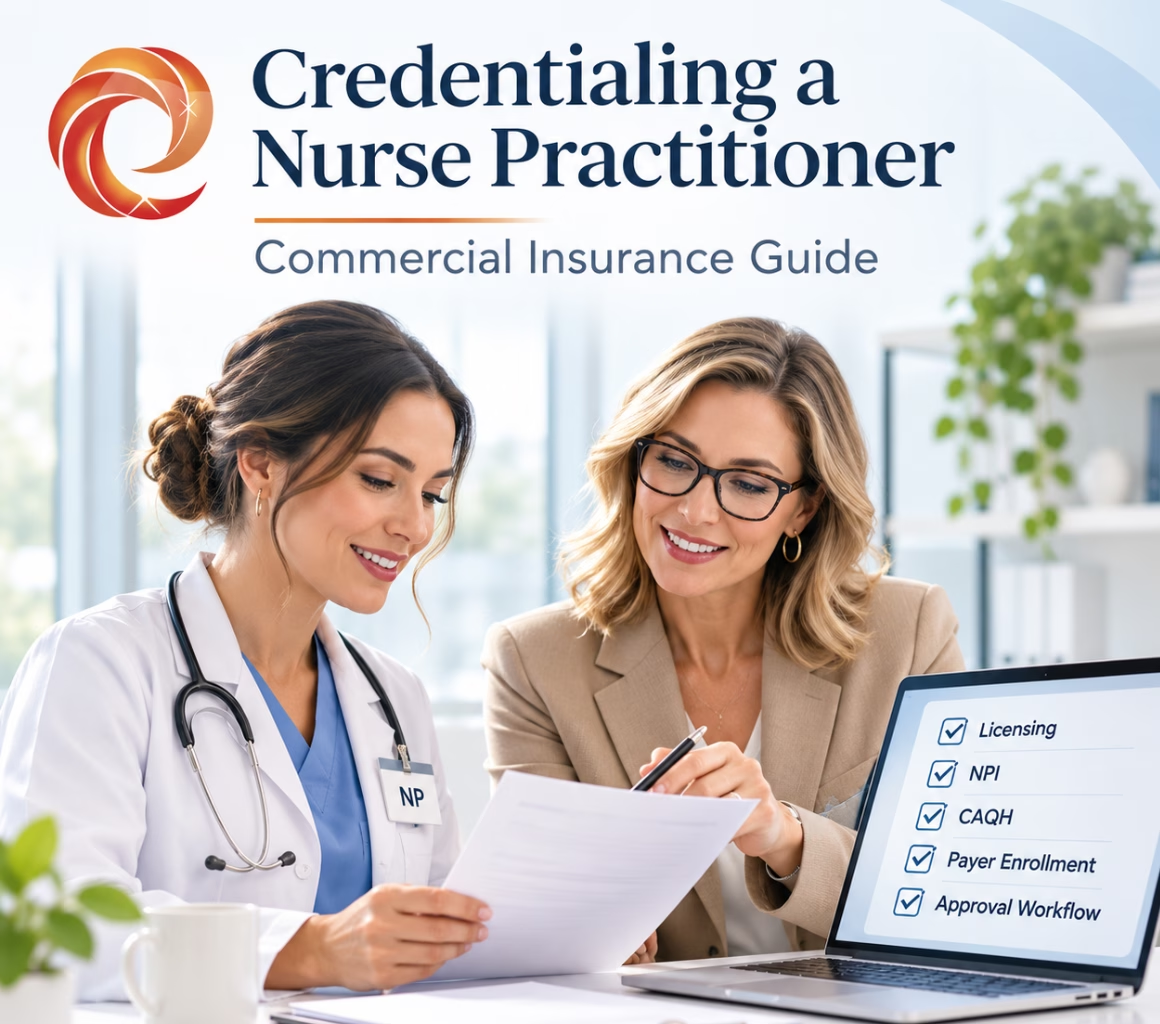
Nurse practitioner credentialing with commercial insurance involves much more than completing a payer application.
To successfully credential a nurse practitioner (NP), a medical practice typically needs to verify the provider’s state license and professional qualifications, confirm the correct individual NPI and taxonomy, maintain an accurate CAQH profile, apply to the appropriate commercial insurance networks, complete payer credentialing and contracting requirements, affiliate the NP with the correct group and location, and confirm the payer’s effective date before treating the provider as in-network.
That may sound like one process.
It isn’t.
A nurse practitioner can be fully licensed and have an active NPI but still not be credentialed with a commercial payer.
An NP may be credentialed by an insurance company but not yet affiliated with your medical group’s Tax Identification Number (TIN).
A payer contract may also be completed while the provider still has no confirmed effective date or has not yet been loaded correctly into the payer’s claims system.
For medical practice owners and managers, the objective should therefore be more specific than simply getting an NP “credentialed.”
The real objective is to get the nurse practitioner correctly approved, affiliated, loaded, and effective with each commercial payer under the practice arrangement in which services will actually be billed.
Nurse Practitioner Credentialing: Key Requirements
| What to Check | Why It Matters |
|---|---|
| State NP/APRN license | Establishes legal authority to practice |
| Individual Type 1 NPI | Identifies the NP in payer transactions |
| Correct taxonomy | Identifies the provider’s classification and specialization |
| CAQH profile | Supplies professional information used by many commercial payers |
| Practice TIN and group NPI | Connects the NP to the billing organization |
| Network participation request | Tells the payer you want the NP considered for its network |
| Credentialing review | Allows the payer to verify professional qualifications |
| Contract or group affiliation | Establishes the intended payer relationship |
| Effective date | Determines when network participation begins |
| Payer system loading | Helps confirm the NP is operationally ready for claims |
The most important operational lesson is simple:
Do not treat “CAQH complete,” “credentialing approved,” and “ready to bill” as the same status.
They represent different stages of the commercial insurance credentialing process.
Step 1: Confirm the Nurse Practitioner’s State Credentials
Before submitting commercial insurance applications, confirm that the nurse practitioner is properly licensed for the jurisdiction where care will be provided.
Depending on the state and the NP’s scope of practice, the credentialing file may include:
- RN license
- APRN or NP authorization
- National certification
- Prescribing authority
- Controlled-substance credentials, where applicable
- DEA registration, where applicable
- Collaborative or supervisory documentation, where required
Do not use one universal credentialing checklist for every nurse practitioner.
NP licensing and practice requirements vary by state.
The National Council of State Boards of Nursing’s APRN framework recognizes nurse practitioners as one of the four APRN roles and addresses areas such as education, licensure, certification, practice authority, and prescribing authority. However, individual states may implement requirements differently.
For practices operating in multiple states or providing telehealth services, verify the requirements for the jurisdiction in which the NP will practice and where patients will receive care.
Commercial payer credentialing does not override state nursing laws or licensing requirements.
Related reading: Nurse Practitioner Credentialing: Complete Guide
Step 2: Verify the NP’s Individual NPI and Taxonomy
A nurse practitioner generally uses an individual Type 1 National Provider Identifier (NPI).
The NPI is essential for healthcare transactions, but having an NPI does not automatically mean that the nurse practitioner:
- Is credentialed with an insurance payer
- Is enrolled in a health plan
- Is participating in a commercial network
- Is affiliated with your medical group
- Is ready to submit in-network claims
This distinction causes problems for practices that assume:
“The NP already has an NPI, so we just need to add them to billing.”
Usually, additional payer enrollment and credentialing work is required.
Review the nurse practitioner’s NPPES record and confirm:
- Legal/provider name
- Individual NPI
- Practice information
- Mailing information
- Taxonomy
- Specialty information
Taxonomy codes identify a healthcare provider’s classification and specialization.
The selected taxonomy should accurately reflect the provider’s actual role and specialty.
For example, an NP joining a psychiatric practice, primary care practice, family medicine group, or specialty clinic should have provider information that accurately reflects the circumstances under which the NP is practicing.
Do not change taxonomy codes simply to match an insurance application.
The underlying provider information should be accurate across NPPES, CAQH, payer applications, and practice records.
Step 3: Build a Complete Nurse Practitioner Credentialing File
Build the provider file before submitting commercial payer applications.
A typical nurse practitioner credentialing file may include:
Provider Information
- Individual NPI
- Active NP/APRN license
- National certification
- Curriculum vitae or work history
- Education and training
- Professional liability insurance
- DEA registration, when applicable
- Controlled-substance information, when applicable
- Hospital affiliations, when applicable
- Professional references, when required
- Professional disclosures
- CAQH information
Practice Information
- Group or organizational NPI
- TIN/EIN
- Current W-9
- Legal business name
- Service locations
- Billing address
- Remittance information
- Existing payer contract information
- Authorized contacts
This is where many avoidable credentialing delays begin.
For example, problems may occur when:
- The W-9 shows one business name while the payer application shows another
- CAQH lists an old employer
- NPPES contains an outdated practice address
- The service location differs across payer records
- Malpractice coverage has expired
- The provider’s work history contains unexplained gaps
- A payer cannot access the NP’s CAQH profile
A pre-submission quality review is generally far more efficient than correcting an application after it has already entered payer processing.
Related reading: Provider Credentialing Documents: Complete Guide
Step 4: Complete and Review the NP’s CAQH Profile
Many commercial insurance companies use provider information maintained through CAQH during credentialing.
However, one of the most common misunderstandings in provider credentialing is assuming that completing CAQH means the provider is credentialed.
It does not.
CAQH functions as a provider data source used by participating organizations during credentialing and other administrative processes.
The insurance company still performs its own:
- Network participation review
- Credentialing
- Contracting
- Enrollment
- Affiliation
- System-loading process
What Should Be Reviewed in the NP’s CAQH Profile?
Review the entire profile before commercial payers begin retrieving the information.
Pay particular attention to:
- Personal and professional information
- NPI and professional identifiers
- State licenses
- National certification
- Specialty
- Education and training
- Employment history
- Practice locations
- Hospital affiliations
- Liability coverage
- Professional references
- Disclosures
- Supporting documents
- Payer access authorization
CAQH terminology has also been changing.
As of late 2026, practices may encounter terminology such as:
- CAQH
- CAQH ProView
- Provider Data Portal
- CAQH Unity
- DataSpring references in payer or industry materials
Follow the provider’s current CAQH access process and the instructions issued by the specific insurance payer.
Do not assume different terminology means a completely separate credentialing approval is required.
Most importantly:
A complete CAQH profile does not mean the nurse practitioner has been approved by an insurance company.
CAQH supplies provider information.
The payer makes the credentialing and network participation decision.
Related reading: CAQH Credentialing Delays: Why “Complete” Isn’t Approved
Step 5: Prioritize the Right Commercial Insurance Payers
Do not automatically apply to every commercial insurance company you can find.
Start with the practice’s actual payer strategy.
Review:
- Current patient insurance mix
- Referral patterns
- Local employers
- Existing group contracts
- Patient demand
- Provider specialty
- Geographic market
- Major health plans in your service area
Then prioritize the insurance networks that are most likely to affect the nurse practitioner’s schedule and revenue.
This is important because submitting a network participation request does not guarantee acceptance.
Commercial payers may evaluate factors such as:
- Existing network capacity
- Geographic need
- Provider specialty
- Provider type
- Current network adequacy
- Market requirements
A nurse practitioner may be fully qualified and still encounter a network that is not currently accepting providers of that specialty or type in the relevant area.
Credentialing and network availability are separate issues.
A strong credentialing strategy therefore focuses first on the payers that matter most to the practice instead of treating payer applications as a volume exercise.
Step 6: Start Each Payer’s Specific Enrollment Process
A common credentialing mistake is assuming that every commercial insurance payer follows the same process because many insurers use CAQH.
They do not.
Each commercial payer may have its own participation, credentialing, contracting, enrollment, provider-add, or affiliation workflow.
Aetna Nurse Practitioner Credentialing
Aetna directs providers and groups through its process for requesting participation in its network.
The payer may evaluate network need before determining whether credentialing and contracting should move forward.
Aetna also distinguishes credentialing from network contracting.
Practices should therefore track both processes independently.
Cigna Nurse Practitioner Credentialing
Cigna’s medical credentialing workflow may begin with a pre-application assessment.
If the provider meets the requirements to apply, the credentialing process can proceed and Cigna may retrieve authorized provider information electronically from CAQH.
Cigna currently indicates that credentialing may typically take approximately 45 to 60 days after receipt of a complete application packet, although incomplete information or other issues may extend the timeline.
UnitedHealthcare Nurse Practitioner Credentialing
UnitedHealthcare directs medical providers, including applicable mid-level providers, through its provider onboarding systems.
Information that may be required includes:
- Licensing details
- Certification
- Individual NPI
- W-9
- Work history
- Education history
- Professional liability coverage
- CAQH information, when applicable
The exact workflow should be confirmed for the provider type, state, group relationship, and network involved.
Anthem Nurse Practitioner Credentialing
Anthem’s commercial network guidance instructs participating professionals to maintain current credentialing information and authorize appropriate access to CAQH information.
Credentialing documentation may include:
- Professional licenses
- Education and training
- Work history
- Liability coverage
- Hospital privilege information, when applicable
- DEA or controlled-substance credentials, when relevant
Anthem indicates that credentialing may typically take approximately 45 days after its credentialing department receives a complete application, although processes can vary by market and payer requirements.
These examples demonstrate why medical practices should maintain payer-specific credentialing workflows instead of using one generic commercial insurance application process.
Step 7: Track Credentialing, Contracting, and Enrollment Separately
A credentialing tracker should not contain only one status called:
Credentialing Pending
That tells practice management very little.
Instead, track each commercial payer through separate milestones.
| Payer | Participation Request | Credentialing | Contract/Affiliation | Effective Date | Billing Ready |
|---|---|---|---|---|---|
| Payer A | Accepted | Approved | Completed | 12/1/26 | Yes |
| Payer B | Accepted | In Review | Pending | Pending | No |
| Payer C | Submitted | Not Started | N/A | Pending | No |
| Payer D | Network Closed | N/A | N/A | N/A | No |
This becomes especially important when adding a nurse practitioner to an existing medical group.
The practice may already have an active commercial insurance contract.
That does not automatically mean every newly hired NP is active under that contract.
Depending on the payer and contract, the nurse practitioner may still require:
- Individual credentialing
- Provider enrollment
- Group affiliation
- TIN linkage
- Service-location setup
- Provider-add transaction
- Network assignment
- Claims-system loading
Never assume that a nurse practitioner can begin billing simply because the physician owner or medical group is already in-network.
Step 8: Respond Quickly to Payer Credentialing Requests
Submitting an application is not the end of the credentialing process.
Commercial insurance companies may request additional information, including:
- Updated malpractice insurance
- Missing documentation
- Work-history clarification
- License verification
- Additional disclosures
- Practice information
- Address confirmation
- Group affiliation information
Every payer request should be documented clearly.
A useful credentialing follow-up record should include:
Payer → request received → exact item requested → responsible person → deadline → response submitted → confirmation number → next follow-up date
Avoid notes such as:
“Waiting on payer.”
That does not tell the next team member what happened or what should happen next.
A better note would be:
“Cigna requested updated malpractice face sheet Nov. 4; received from provider Nov. 5; uploaded Nov. 5; follow-up scheduled Nov. 12.”
This creates an actionable and auditable credentialing record.
Step 9: Do Not Stop at “Credentialing Approved”
This may be the most important step in nurse practitioner commercial insurance credentialing.
The approval notice arrives.
The practice assumes everything is complete.
Patients get scheduled.
Claims are submitted.
Then the claims reject because the nurse practitioner has not been correctly loaded or affiliated in the payer’s system.
Credentialing approval can be one milestone within a larger payer onboarding process.
For example, after credentialing is completed, additional payer processing may still be required before provider information appears correctly in directories or claims systems.
That means:
Credentialing approval date and billing readiness date may not be identical.
Before treating the nurse practitioner as fully active with a commercial payer, verify:
- Participation effective date
- Correct TIN/group affiliation
- Correct service location
- Correct network participation
- Correct insurance product participation
- Payer provider ID, where applicable
- Directory status, when relevant
- Claims-system loading
- EDI setup, if included in your workflow
- ERA setup, if applicable
- EFT setup, if applicable
Do not assume that retroactive billing will automatically correct a credentialing problem.
Commercial insurance effective-date and retroactivity policies vary by payer and situation.
Example: Adding an FNP to an Existing Medical Practice
Consider a primary care practice that already participates with:
- Aetna
- Cigna
- UnitedHealthcare
- Anthem
The owner hires a family nurse practitioner who is scheduled to start January 4.
The NP already has:
- An individual NPI
- Active state licensure
At first glance, the practice may assume credentialing will be simple because the group already participates with all four insurance companies.
A disciplined credentialing workflow looks different.
First: Verify the NP’s Provider Information
Confirm:
- State license
- National certification
- Individual NPI
- Taxonomy
- Professional liability coverage
- Education
- Work history
- DEA information, if applicable
Next: Review CAQH
Update and verify:
- New employer
- Practice locations
- Current liability insurance
- Specialty
- License information
- Work history
- Payer authorization
Then: Process Each Commercial Payer Separately
Aetna receives the appropriate participation or provider-add request.
Cigna’s requirements are reviewed and its applicable onboarding process is initiated.
UnitedHealthcare is processed through its applicable provider onboarding workflow.
Anthem receives the required participation, provider-add, or credentialing transaction.
The practice tracks all four payers independently.
By the nurse practitioner’s January 4 start date:
- Payer A may be fully active.
- Payer B may have credentialing approved but no final effective date.
- Payer C may still be reviewing the NP.
- Payer D may require additional information.
The nurse practitioner can therefore be clinically ready to practice while commercial insurance readiness differs from plan to plan.
That is why a practice should not rely on one general status such as:
“NP credentialing complete.”
Instead, ask:
With which payer, under which TIN, at which location, for which network, and effective on what date?
How Long Does Nurse Practitioner Credentialing Take?
There is no universal timeline for commercial insurance credentialing.
Current payer examples demonstrate the variation.
Cigna indicates that its credentialing process may typically take approximately 45 to 60 days after receipt of required application information.
Anthem’s commercial credentialing guidance indicates that credentialing may typically take approximately 45 days after receipt of a completed application.
Those timelines should not be interpreted as universal guarantees.
Nurse practitioner credentialing may take longer because of:
- Incomplete information
- Network availability review
- Primary-source credential verification
- Contracting delays
- State-specific requirements
- Group organizational changes
- Service-location issues
- CAQH discrepancies
- Missing provider documents
- Payer workload
There is also no reliable universal rule that every payer application should simply be submitted a specific number of days before the provider’s start date.
Each payer may have different onboarding requirements and timing rules.
A better approach is:
Prepare the credentialing file as early as possible, then submit each transaction according to the payer’s actual requirements.
Related reading: Credentialing Before Hiring vs. After Hiring: What Practice Owners Need to Know
Common Nurse Practitioner Credentialing Mistakes
1. Assuming the NP Can Automatically Bill Under the Physician
Do not assume physician network participation automatically extends to a nurse practitioner.
Confirm the payer’s rules and the NP’s individual status.
2. Treating CAQH as the Insurance Application
CAQH supports the exchange of provider information.
It does not make the commercial payer’s network participation decision.
3. Using an Outdated Practice Location
CAQH, NPPES, payer applications, group records, W-9 information, and billing setup should accurately reflect the provider’s actual practice arrangement.
4. Forgetting to Authorize Payer Access to CAQH
A complete CAQH profile may still cause delays if the target insurance company cannot retrieve the provider’s information.
5. Submitting Expired Malpractice or Licensing Documents
Review credentials immediately before payer submission rather than copying documents from an old credentialing folder without verification.
6. Assuming Every NP Has Identical DEA or Supervision Requirements
Prescribing authority, collaboration requirements, supervision requirements, and controlled-substance rules depend on state law and the nurse practitioner’s actual practice circumstances.
7. Scheduling Insured Patients Based on an Estimated Approval Date
Do not treat an estimated credentialing completion date as a confirmed payer effective date.
Verify actual network status before assuming in-network billing is available.
8. Failing to Confirm Group Affiliation
Credentialing approval alone may not establish the correct relationship between the NP and the practice’s TIN.
9. Marking the Process Complete Before Payer Loading
A provider can be credentialed but still not be operationally ready for claims.
Confirm system loading and effective date before closing the credentialing task.
Nurse Practitioner Commercial Insurance Credentialing Checklist
Before treating a nurse practitioner as ready to bill commercial insurance, confirm the following:
| Stage | Verification |
|---|---|
| Licensing | Required NP/APRN licenses are active |
| Certification | Applicable national certification is current |
| Identification | Individual Type 1 NPI is active and accurate |
| Taxonomy | Provider classification and specialty are appropriate |
| CAQH | Profile is current, complete, and payer access is authorized |
| Documentation | CV, liability coverage, education, and required documents are current |
| Practice information | TIN, group NPI, W-9, and service locations are correct |
| Network request | Participation request has been submitted where required |
| Credentialing | Payer credentialing review has been completed |
| Contract/Affiliation | NP is correctly linked to the medical practice |
| Effective date | Network participation date is confirmed |
| Payer loading | Provider is active in the relevant payer systems |
| Billing | Billing and scheduling teams have confirmed payer status |
Frequently Asked Questions About Nurse Practitioner Credentialing
Does a Nurse Practitioner Need a Separate NPI From the Practice?
Yes.
A nurse practitioner is an individual healthcare provider and generally uses a Type 1 NPI.
The medical practice, group, or healthcare organization may separately use a Type 2 organizational NPI.
Having an NPI does not by itself establish insurance credentialing, contracting, or network participation.
Does Every Commercial Insurance Company Use CAQH?
No.
Many major commercial insurance companies use CAQH provider information, but payer processes and state requirements vary.
Always follow the credentialing and onboarding instructions of the specific payer.
Is CAQH the Same as Commercial Insurance Credentialing?
No.
CAQH stores and exchanges provider information that many healthcare organizations use during credentialing.
The commercial insurance company still performs its own network participation, credentialing, contracting, enrollment, and provider setup processes.
Is CAQH Now Called DataSpring or CAQH Unity?
CAQH-related terminology has been evolving.
As of late 2026, providers and practices may encounter terminology including CAQH, the Provider Data Portal, CAQH Unity, CAQH ProView, and DataSpring references.
Follow the current CAQH access instructions and the specific payer’s requirements rather than assuming each label represents a separate credentialing approval.
Can a Nurse Practitioner Bill Commercial Insurance as Soon as Credentialing Is Approved?
Not necessarily.
The practice may still need to confirm:
- Contracting
- Group affiliation
- TIN association
- Service location
- Network product
- Payer-system loading
- Participation effective date
Credentialing approval and billing readiness should therefore be tracked separately.
How Long Does Commercial Insurance Credentialing Take for a Nurse Practitioner?
There is no universal timeframe.
Some major commercial payers publish credentialing timelines around 45 days to 45–60 days after receiving a complete application, but actual processing times can vary considerably.
Factors that may affect the timeline include incomplete documentation, network review, verification issues, state requirements, contracting, group affiliation, and payer workload.
Can an NP Be Credentialed Before Joining a Medical Group?
It depends on the payer and the intended provider relationship.
Practices should not submit inaccurate employment, location, affiliation, or TIN information simply to start an application early.
A better approach is to prepare as much of the credentialing file as possible in advance and initiate payer transactions when the information required by the insurer is accurate.
Is Nurse Practitioner Commercial Insurance Credentialing the Same as Medicare Enrollment?
No.
Commercial insurance credentialing follows each private insurer’s network participation and enrollment process.
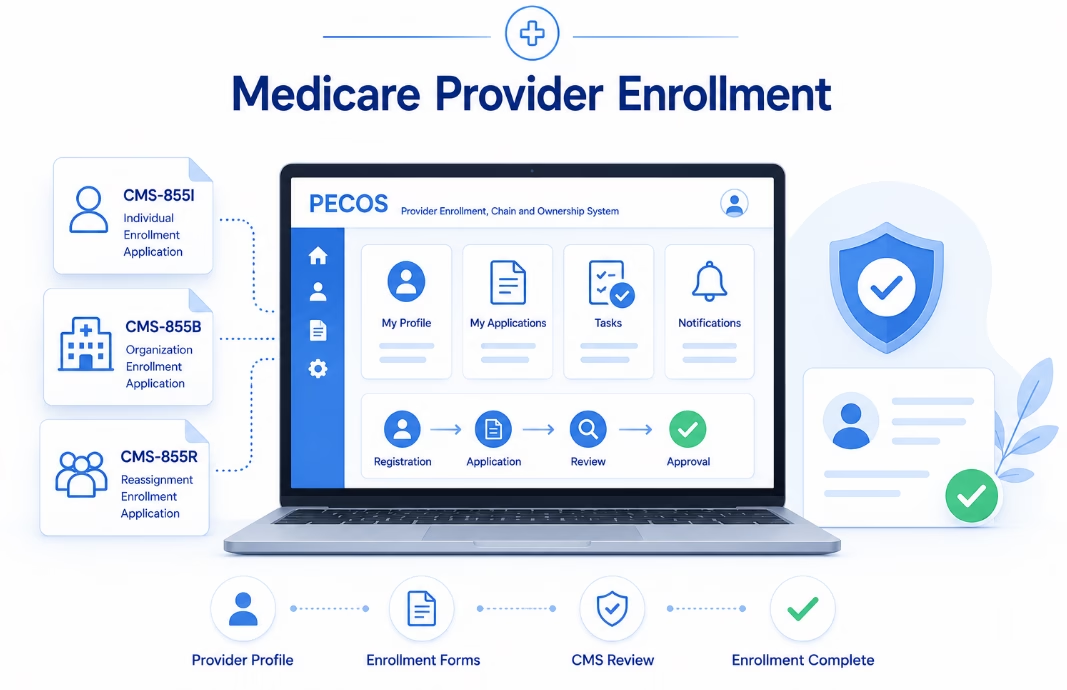
Medicare provider enrollment is a separate federal process administered through CMS enrollment systems such as PECOS.
Build Nurse Practitioner Credentialing Around Billing Readiness
Successful nurse practitioner credentialing should not be measured by how many payer applications your team submits.
It should be measured by whether the nurse practitioner is correctly established with each commercial insurance payer under the practice arrangement in which claims will actually be submitted.
A strong process should:
- Verify active state credentials.
- Confirm the NP’s individual NPI and taxonomy.
- Build a complete credentialing file.
- Maintain accurate CAQH information.
- Prioritize the right commercial insurance networks.
- Follow each payer’s individual onboarding process.
- Track credentialing, contracting, affiliation, and effective dates separately.
- Respond quickly to payer requests.
- Confirm payer-system loading and billing readiness.
Do not mark nurse practitioner credentialing complete until your team knows exactly when, where, under which TIN, and with which commercial insurance network the NP can be billed.
Need Help Credentialing a Nurse Practitioner?
eClinicAssist helps medical practices manage nurse practitioner credentialing and commercial payer enrollment from application preparation through payer follow-up and effective-date tracking.
Our credentialing workflow can help practices manage:
- Commercial payer enrollment
- Nurse practitioner credentialing
- CAQH maintenance
- Provider documentation
- Payer applications
- Network participation requests
- Provider affiliations
- Payer follow-up
- Recredentialing
- Effective-date tracking
- Credentialing status management
If you’re adding a nurse practitioner and want help managing commercial insurance credentialing from initial preparation through payer enrollment and follow-up, contact eClinicAssist to discuss your credentialing needs.
Disclaimer: This article is intended for general educational and administrative purposes and is not legal, regulatory, contracting, or reimbursement advice. Nurse practitioner practice requirements and commercial payer credentialing processes vary by state, payer, provider type, network, contract, and practice arrangement. Confirm current requirements directly with the applicable nursing board and insurance payer.