A strong Medicare provider enrollment workflow is essential for healthcare practices that want to avoid billing disruptions, reduce compliance risks, and improve provider onboarding efficiency. For practice managers, healthcare administrators, and credentialing specialists, managing the Medicare provider enrollment workflow correctly helps providers begin billing faster while protecting long-term revenue cycle performance.
Medicare enrollment is no longer just paperwork. Today, it directly affects reimbursement timelines, provider participation status, and operational stability. Even small enrollment mistakes can trigger claim denials, delayed approvals, or provider deactivation.
Because of this, healthcare organizations must approach enrollment with structured systems and proactive oversight.
Why Medicare Enrollment Requires Careful Management
Many practices underestimate how much Medicare enrollment affects daily operations.
When enrollment delays occur, providers may still see patients but remain unable to bill Medicare. As a result, practices absorb staffing and operational costs without generating expected reimbursement revenue.
Common enrollment-related problems include:
- Delayed provider onboarding
- Rejected Medicare claims
- Missing revalidation deadlines
- Incomplete provider records
- Compliance risks during audits
These issues create pressure across credentialing, billing, and administrative departments simultaneously.
Preparing Before Starting the Enrollment Process
Preparation is one of the most important parts of successful enrollment management.
Before beginning enrollment, practices should verify that all provider information is accurate and updated across internal systems. Missing or inconsistent records remain one of the leading causes of approval delays.
Healthcare organizations should prepare:
- NPI information
- State licenses
- DEA certificates
- Tax identification details
- EFT banking information
- Reassignment documentation
Practices with organized provider credentialing documents usually experience fewer submission errors and faster approval timelines.
Understanding PECOS Within the Workflow
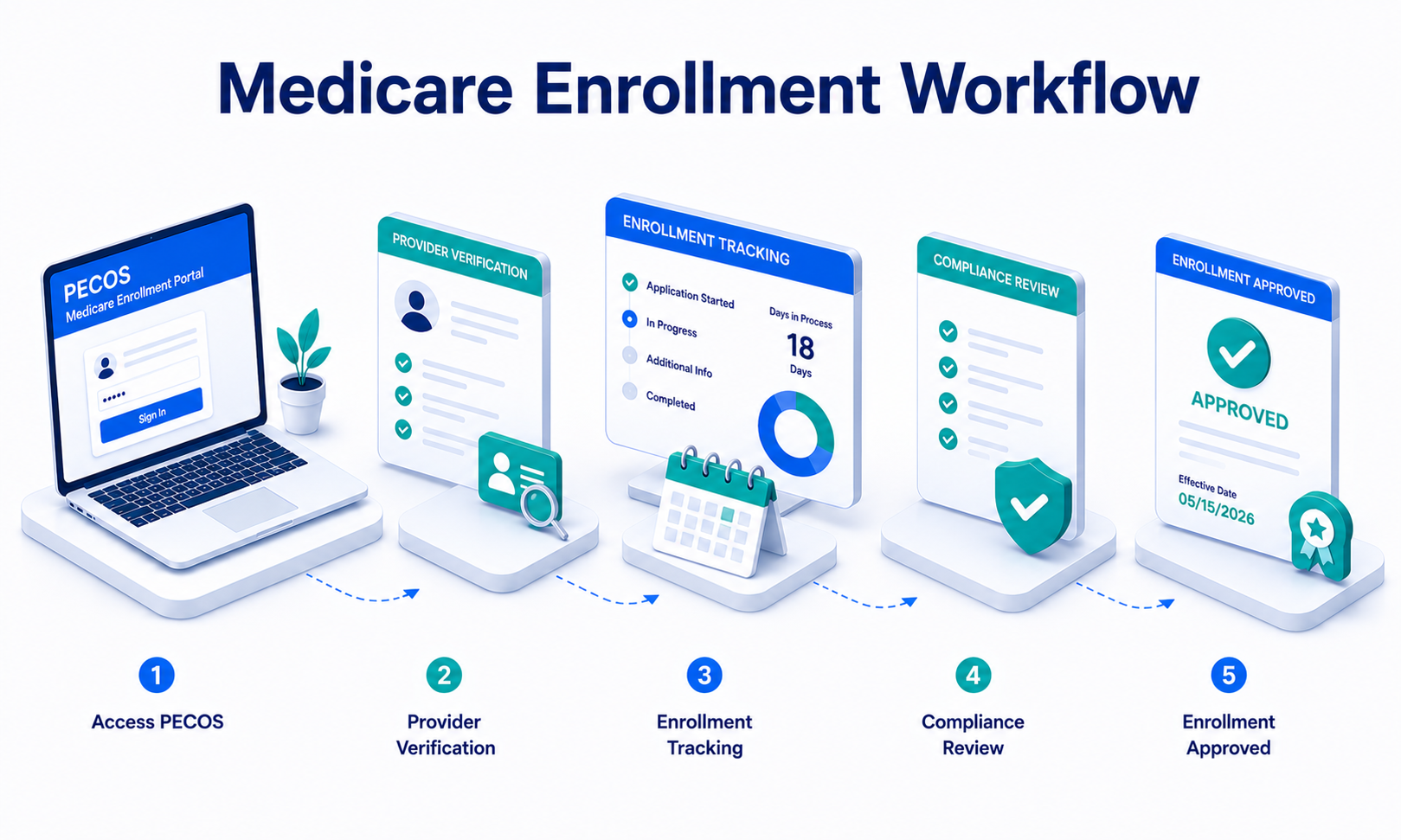
PECOS, the Provider Enrollment, Chain, and Ownership System, is CMS’s official online enrollment portal.
Healthcare organizations use PECOS to:
- Enroll new providers
- Update Medicare records
- Submit reassignment requests
- Complete provider revalidation
Unlike older paper-based enrollment systems, PECOS allows practices to manage enrollment digitally, improving visibility and reducing documentation delays.
Digital systems also make it easier to monitor application progress and maintain centralized enrollment records.
Common Enrollment Mistakes That Cause Delays
Enrollment delays often happen because of small administrative issues rather than major compliance failures.
For example, mismatched provider names between PECOS and NPPES can trigger additional review requests. Similarly, outdated addresses or missing ownership information may pause application processing for weeks.
Other common problems include:
- Expired licenses
- Missing signatures
- Incorrect reassignment forms
- Incomplete ownership disclosures
- Outdated CAQH or NPPES records
Organizations with accurate NPPES provider database workflows generally avoid many of these preventable enrollment issues.
Why Ongoing Monitoring Matters
The Medicare provider enrollment workflow does not end after application submission.
Once enrollment requests reach Medicare Administrative Contractors (MACs), practices must continue monitoring status updates and responding quickly to documentation requests.
Credentialing teams should regularly track:
- Application status changes
- Effective enrollment dates
- Additional documentation requests
- Revalidation timelines
Without active follow-up, applications may remain delayed unnecessarily for extended periods.
Consistent monitoring improves provider onboarding speed and reduces reimbursement interruptions.
Medicare Revalidation Is a Major Compliance Priority
Many practices focus heavily on initial enrollment but overlook revalidation requirements later.
CMS requires providers to periodically revalidate Medicare enrollment information to confirm accuracy and compliance. Depending on provider type, this usually occurs every three to five years.
Missing revalidation deadlines may lead to:
- Medicare deactivation
- Claim denials
- Payment delays
- Revenue disruption
Because revalidation timelines are strict, practices should use automated reminders and organized tracking systems to prevent missed deadlines.
Strong revalidation oversight protects both compliance and financial stability.
Technology Helps Streamline Enrollment Workflows
Modern credentialing systems improve enrollment efficiency significantly.
Instead of relying on manual spreadsheets or disconnected tracking methods, healthcare organizations now use software platforms to:
- Store enrollment records securely
- Track application timelines
- Monitor provider expirations
- Generate compliance alerts
- Improve communication between departments
Automation reduces administrative burden while improving operational visibility across credentialing and billing workflows.
However, human oversight still remains critical because enrollment accuracy directly affects reimbursement eligibility.
Build Stronger Medicare Enrollment Systems
An organized Medicare provider enrollment workflow helps healthcare organizations reduce delays, improve compliance oversight, and maintain stable reimbursement operations. Practices that prepare documentation carefully, monitor enrollment proactively, and maintain accurate provider records experience fewer operational disruptions and stronger financial performance.
Most importantly, efficient enrollment management allows providers to focus more on patient care instead of administrative delays.
If your organization needs support with Medicare enrollment, credentialing operations, or compliance workflows, eClinicAssist helps healthcare practices streamline enrollment systems and improve long-term operational efficiency.