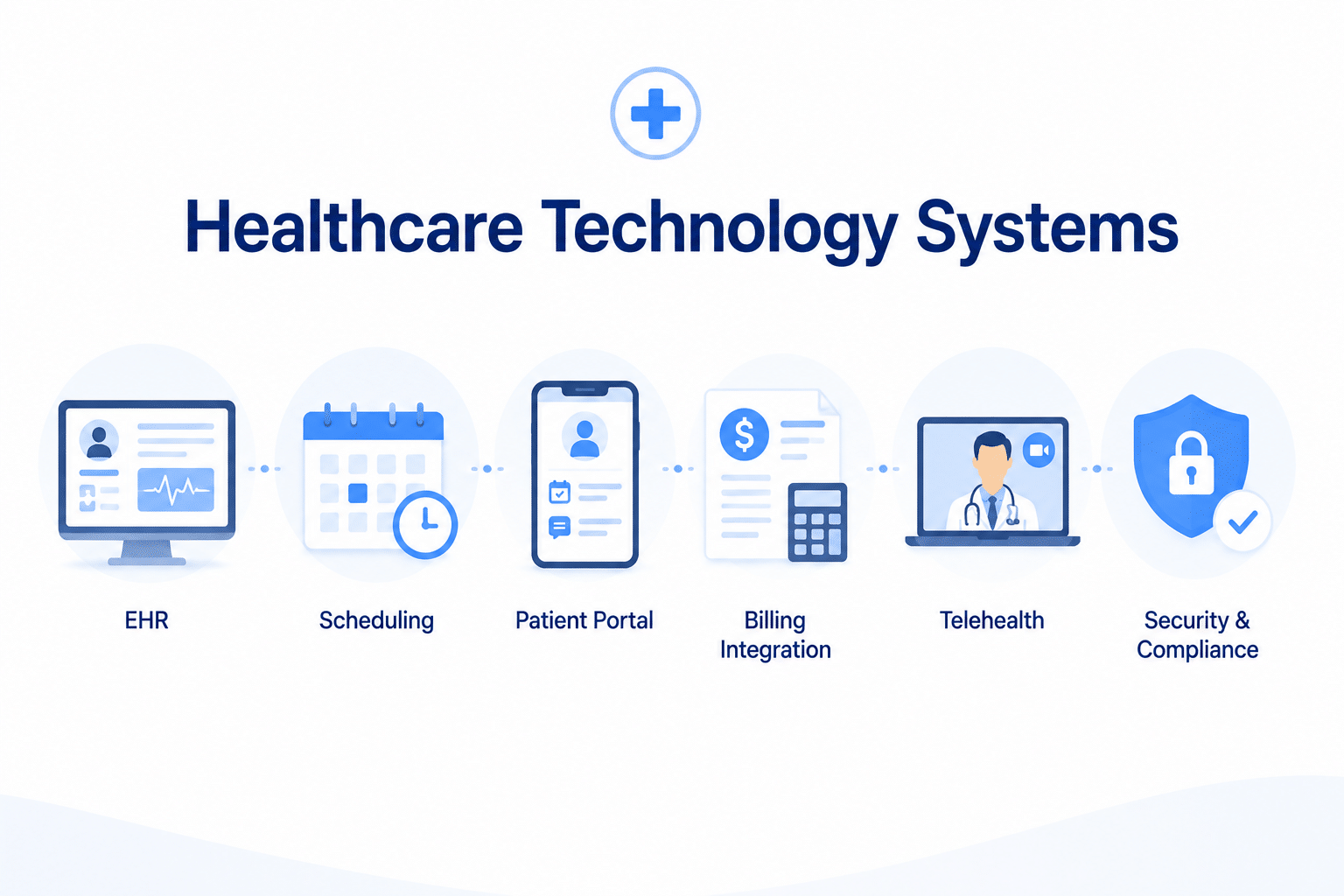
A new medical practice typically needs an EHR, practice management and scheduling system, billing or revenue cycle tools, secure patient communication, payment technology, cybersecurity controls, and reliable network infrastructure. The right healthcare technology systems should fit the practice’s specialty, payer workflow, security risks, interoperability needs, staffing model, and contingency plan rather than simply offering the most features.
Technology decisions made before a practice opens can shape daily operations for years.
The wrong system can create duplicate data entry, fragmented workflows, difficult billing handoffs, poor reporting, and expensive switching costs.
The right approach is not to buy every available tool.
It is to build a technology stack around the actual workflow of the practice.
What Healthcare Technology Systems Does a New Practice Need?
Most outpatient healthcare practices need some combination of:
- Electronic Health Record, or EHR
- Practice management software
- Appointment scheduling
- Patient registration and intake
- Eligibility and benefits verification
- Billing and claims management
- Payment processing
- Patient portal
- Secure messaging
- Electronic prescribing
- Laboratory and imaging interfaces where applicable
- Telehealth technology where applicable
- Cybersecurity and access controls
- Credentialing and provider-data management
- Reporting and analytics
Some vendors combine several of these functions into one platform. Others require separate systems and integrations.
How Should a Practice Choose Its Technology Stack?
Start with workflow rather than product names.
Map the patient’s journey from first contact through final payment:
- Appointment request
- Registration
- Insurance verification
- Clinical encounter
- Orders and prescriptions
- Documentation
- Charge capture
- Claim submission
- Payment posting
- Patient balance collection
- Follow-up care
Then identify which system owns each step and how information moves between them.
1. Electronic Health Record System
The EHR is the clinical record system for most modern medical practices.
Common functions can include:
- Clinical documentation
- Problem lists
- Medication management
- Electronic prescribing
- Laboratory ordering and results
- Imaging orders and results
- Clinical alerts
- Patient communication
- Referral workflows
The best EHR for one specialty may be a poor fit for another.
What Should You Look for in an EHR?
Evaluate more than ease of use.
A practical EHR review should include:
| Area | Questions to Ask |
|---|---|
| Specialty fit | Does it support the documentation and order workflows used by this specialty? |
| Usability | Can clinicians complete common tasks without excessive clicks or workarounds? |
| Interoperability | Can the system exchange and export patient data using current standards? |
| Billing integration | How do charges, diagnoses, claims, and corrections flow to the billing system? |
| Interfaces | Can it connect with laboratories, imaging centers, pharmacies, HIEs, and other systems? |
| Security | What access, logging, authentication, backup, and security controls are available? |
| Data portability | How can the practice export its information if it changes vendors? |
| Support | What happens during implementation, downtime, upgrades, and urgent support situations? |
Does a Practice Need a Certified EHR?
Not every healthcare practice is universally required to use health IT certified under the ONC Health IT Certification Program.
However, certified health IT may be required or advantageous when participating in programs that specifically depend on certified technology.
Certified technology can also provide standardized capabilities involving:
- Interoperability
- Electronic health information export
- APIs
- Clinical data standards
- Security features
- Decision support
Practices should evaluate their actual program obligations rather than assume that every EHR must be certified for every use.
What Changed for Certified Health IT in 2026?
ONC’s HTI-1 Final Rule established United States Core Data for Interoperability Version 3, or USCDI v3, as the baseline standard in the ONC Health IT Certification Program beginning January 1, 2026.
This strengthens the importance of asking vendors how they support:
- Structured data exchange
- Patient access
- APIs
- Data export
- Interoperability with outside organizations
Technology should not trap the practice’s information inside one vendor ecosystem.
2. Practice Management and Scheduling Systems
Practice management technology handles much of the administrative workflow surrounding patient care.
Functions may include:
- Scheduling
- Patient registration
- Insurance information
- Eligibility workflows
- Claims management
- Patient balances
- Reporting
Some practices use one integrated EHR and practice management platform. Others connect separate systems.
What Should a Scheduling System Support?
Depending on the practice, useful capabilities can include:
- Appointment types by provider
- Location-specific scheduling
- Online appointment requests
- Automated reminders
- Wait lists
- Patient confirmations
- Recurring appointments
- Telehealth scheduling
Automation may reduce administrative work, but practices should still monitor whether the workflow actually improves attendance and patient access.
3. Patient Registration and Digital Intake
Registration errors can move downstream into eligibility, claims, patient billing, and reporting.
Digital intake systems can collect:
- Demographics
- Insurance information
- Contact information
- Consents
- Medical history
- Forms and questionnaires
The goal should be to reduce unnecessary re-entry while ensuring information is reviewed before it enters the permanent clinical or billing record.
4. Eligibility and Benefits Verification Technology
Insurance verification technology can support:
- Coverage status
- Plan information
- Copay information
- Deductible information
- Selected benefit details
Eligibility verification does not guarantee payment.
It also does not automatically establish:
- Medical necessity
- Authorization
- Network participation
- Final patient responsibility
Practices should make sure staff understand these distinctions.
5. Billing and Revenue Cycle Technology
A billing system should support the practice’s actual claim workflow.
Useful functions can include:
- Charge entry
- Claim creation
- Electronic claim submission
- Claim edits or scrubbing
- Electronic remittance processing
- Payment posting
- Denial tracking
- Accounts receivable work queues
- Patient statements
- Reporting
Does Claim Scrubbing Prevent Denials?
No.
A claim scrubber may identify certain formatting, coding, or data problems before submission.
Claims can still be denied because of:
- Eligibility
- Authorization
- Medical necessity
- Coverage policy
- Timely filing
- Coordination of benefits
- Provider enrollment
- Network or group affiliation
- Other payer edits
Technology supports revenue cycle management, but it does not replace payer-specific billing knowledge.
6. Credentialing and Provider Management Systems
Provider administration should not be buried inside spreadsheets, email threads, and individual staff folders as the organization grows.
A credentialing system can help track:
- Providers
- Practice locations
- Payers
- Applications
- Licenses
- Professional liability documents
- Expiration dates
- Follow-up activity
- Payer approvals
- Effective dates
See our credentialing systems and databases guide for a deeper look at provider-data management.
7. Patient Portals and Secure Communication
A patient portal can support functions such as:
- Viewing results
- Secure messaging
- Appointment requests
- Medication refill requests
- Accessing records
- Paying balances
The exact functions depend on the vendor and practice configuration.
Practices should evaluate:
- Patient usability
- Identity verification
- Proxy access
- Message routing
- Response expectations
- Integration with the medical record
8. Interoperability and Information Exchange
Modern healthcare technology should be evaluated on how well information can move between systems.
Important questions include:
- Can patient records be exported?
- Can outside records be incorporated?
- Does the platform support current interoperability standards?
- Can patients access their electronic health information?
- What APIs are available?
- How are laboratory and imaging interfaces handled?
What Is Information Blocking?
Federal information-blocking rules address practices that are likely to interfere with access, exchange, or use of electronic health information when no applicable exception applies.
Healthcare providers can fall within the categories of actors subject to these rules.
The rules do not mean that every practice must immediately buy certified health IT.
They do mean practices should understand how their technology, policies, fees, access restrictions, and vendor arrangements affect legitimate access to electronic health information.
9. Telehealth Technology
Telehealth technology can be built into an EHR or provided through a separate platform.
Useful capabilities may include:
- Secure audio-video communication
- Scheduling
- Documentation integration
- Patient identification
- Electronic prescribing
- Payment workflows
Technology alone does not make a telehealth service compliant or reimbursable.
The practice still needs to evaluate:
- Provider licensure
- Patient location
- Payer coverage
- Consent requirements
- Prescribing laws
- Privacy and security requirements
10. Payment Technology
Practices may use technology for:
- Point-of-service payments
- Online balances
- Card-on-file arrangements
- Payment plans
- Electronic statements
Payment workflows should be designed around appropriate financial, privacy, security, and payment-card requirements.
11. Hardware and Network Infrastructure
Software cannot operate reliably without appropriate infrastructure.
A new practice may need:
- Clinical workstations
- Front-desk computers
- Tablets where appropriate
- Scanners
- Secure printing
- Reliable internet service
- Appropriately configured wireless networks
- Network security equipment
- Backup connectivity
- Power protection or backup solutions where appropriate
The design should account for what happens when any one critical component fails.
12. Cybersecurity and HIPAA Security
Healthcare technology creates security responsibilities because systems may create, receive, maintain, or transmit electronic protected health information.
The HIPAA Security Rule requires covered entities and business associates to use appropriate administrative, physical, and technical safeguards.
The correct security controls should be based in part on the organization’s risk analysis.
Is Encryption Required by HIPAA?
Encryption is an addressable implementation specification under the current HIPAA Security Rule.
That does not mean it can simply be ignored.
HHS states that an organization must evaluate encryption through its risk assessment.
If encryption is reasonable and appropriate, it should be implemented.
If the organization determines it is not reasonable and appropriate, it must document that determination and consider an appropriate equivalent alternative measure where necessary.
In practice, encryption is an important safeguard that healthcare organizations should evaluate carefully for devices, stored data, and transmissions containing ePHI.
What Other Security Controls Should Practices Evaluate?
Depending on risk, systems, and circumstances, controls may include:
- Unique user accounts
- Role-based access
- Multi-factor authentication
- Audit logs
- Device management
- Endpoint protection
- Patch management
- Secure backups
- Network segmentation
- Security awareness training
- Incident response procedures
No single checklist replaces the required risk-analysis and risk-management process.
13. Vendor and Business Associate Management
If a vendor creates, receives, maintains, or transmits protected health information on behalf of the practice and qualifies as a business associate, an appropriate Business Associate Agreement may be required.
Does a BAA Mean the Vendor Is HIPAA Compliant?
No.
A BAA establishes required contractual assurances and responsibilities between the parties.
It is not a government certification that the vendor’s entire product or organization is “HIPAA compliant.”
When evaluating a vendor, practices may also consider:
- Security documentation
- Independent audit reports where available
- Incident notification obligations
- Data-location practices
- Subcontractor relationships
- Backup procedures
- Data export
- Account termination procedures
The level of due diligence should reflect the organization’s risk analysis and the information the vendor will handle.
14. Artificial Intelligence and Clinical Decision Support
AI-enabled tools are increasingly appearing inside EHRs, documentation systems, coding tools, patient messaging platforms, and clinical decision support.
Practices should not enable these tools without understanding what they do.
Questions to ask include:
- What task is the AI performing?
- What data does it use?
- Does patient information leave the primary system?
- Is the AI vendor a business associate where applicable?
- Can clinicians review or override the output?
- How are errors reported?
- What monitoring or validation has been performed?
ONC’s current certified health IT requirements also include transparency provisions for certain decision-support interventions and predictive models.
Technology should support clinical judgment, not obscure how decisions are being influenced.
15. Backup, Downtime, and Disaster Recovery
A technology plan is incomplete without a downtime plan.
Practices should determine what happens when:
- The EHR is unavailable
- The internet fails
- A cloud vendor has an outage
- The phone system fails
- Electronic prescribing is unavailable
- A cybersecurity incident restricts access
Contingency planning may include:
- Backup internet connectivity
- Downtime documentation procedures
- Emergency contact lists
- Data backup procedures
- Restore testing
- Manual scheduling procedures
- Communication plans
The practice should test important downtime procedures rather than assuming they will work during an emergency.
16. Staff Training Before Go-Live
Staff should learn the actual workflow before the first busy clinic day.
Training should include role-specific tasks for:
- Front desk
- Medical assistants
- Providers
- Billing staff
- Managers
Useful practice scenarios include:
- Registering a new patient
- Updating insurance
- Scheduling a same-day visit
- Documenting an encounter
- Sending a prescription
- Submitting a claim
- Correcting a registration error
- Handling system downtime
17. Test Integrations Before Opening Day
A vendor saying two systems “integrate” does not necessarily tell you how the actual workflow behaves.
Before go-live, test:
- Patient demographics
- Insurance information
- Appointment data
- Orders
- Results
- Charges
- Claims
- Payments
- Portal access
Determine which system is the source of truth for each major data element.
18. Plan for Data Ownership and Vendor Exit
Practices should understand how they can retrieve their information before signing a long-term technology contract.
Ask vendors:
- Who owns the data?
- How can data be exported?
- What format is used?
- Are export fees charged?
- How long is data available after termination?
- How are attachments and scanned documents exported?
- What happens to backups after termination?
Switching systems becomes much harder when these questions are considered only after the relationship ends.
Healthcare Technology Checklist for a New Practice
| System | What to Confirm |
|---|---|
| EHR | Specialty fit, usability, interoperability, export, support |
| Practice management | Registration, scheduling, eligibility, claims, reporting |
| Billing | Claim workflow, remittance, denials, AR, patient balances |
| Patient portal | Access, messaging, records, scheduling, payments |
| Telehealth | Security, workflow integration, documentation, payer fit |
| Credentialing | Provider, payer, document, expiration, status, effective-date tracking |
| Cybersecurity | Risk analysis, access controls, authentication, logging, backups |
| Vendor management | BAA where required, security diligence, incident terms, data export |
| Infrastructure | Internet, Wi-Fi, hardware, redundancy, power protection |
| Downtime | Backup workflows and recovery procedures tested |
Frequently Asked Questions
What technology systems does a new medical practice need?
Most practices need an EHR, practice management and scheduling tools, billing technology, secure patient communication, payment systems, cybersecurity controls, network infrastructure, and provider-management workflows.
Does every practice need a certified EHR?
No universal rule requires every practice to use certified health IT. Certain federal programs may require certified technology, and certified systems can provide standardized interoperability and data capabilities.
What should a practice look for in an EHR in 2026?
Evaluate specialty fit, usability, interoperability, USCDI support where relevant, APIs, data export, security, billing integration, interfaces, vendor support, and exit options.
Does a BAA make software HIPAA compliant?
No. A BAA establishes required contractual assurances when a vendor is a business associate, but it does not certify the product or eliminate the healthcare organization’s own HIPAA responsibilities.
Does HIPAA require encryption?
Encryption is currently an addressable Security Rule implementation specification. The organization must evaluate it through risk analysis and either implement it when reasonable and appropriate or properly document and address the alternative.
Can billing software prevent claim denials?
No. Billing technology can identify some errors and automate workflows, but claims can still deny for eligibility, authorization, coding, medical necessity, payer policy, provider enrollment, and other reasons.
Is cloud-based software safer than an on-premise system?
Not automatically. Security depends on architecture, configuration, vendor controls, user access, risk management, backups, monitoring, and other safeguards.
What is information blocking?
Information blocking generally involves practices by regulated actors that are likely to interfere with access, exchange, or use of electronic health information when no applicable exception applies.
Should a healthcare practice use AI inside its EHR?
AI tools can be useful, but practices should understand the tool’s purpose, data use, limitations, security implications, transparency, and human-review requirements before deployment.
Build the Technology Around the Practice, Not the Other Way Around
The strongest healthcare technology systems are not necessarily the platforms with the longest feature list.
They are the systems that support the actual clinical and administrative workflow of the organization.
Before opening, practices should confirm:
- Which system owns each workflow
- How data moves between systems
- How patient information is protected
- How providers and staff access information
- How billing data reaches the revenue cycle
- How information can be exchanged and exported
- What happens during downtime
- How the practice exits a vendor relationship
eClinicAssist supports healthcare organizations with provider credentialing, payer enrollment, provider-document management, renewal tracking, CAQH administration, Medicare and Medicaid enrollment administration, and related provider-management workflows.
eClinicAssist does not select EHRs for clinical organizations, certify technology as HIPAA compliant, provide cybersecurity certification, or guarantee billing or compliance outcomes.
Contact eClinicAssist to discuss provider credentialing and enrollment workflows for your new or growing practice.
This article provides general educational and administrative information and is not legal, cybersecurity, HIPAA, clinical, billing, procurement, or technology-specific advice. Technology requirements vary by organization, specialty, state, payer, federal program, data environment, and risk profile. Evaluate vendors and systems against your own operational requirements and current regulatory obligations.